




| October 16, 2026
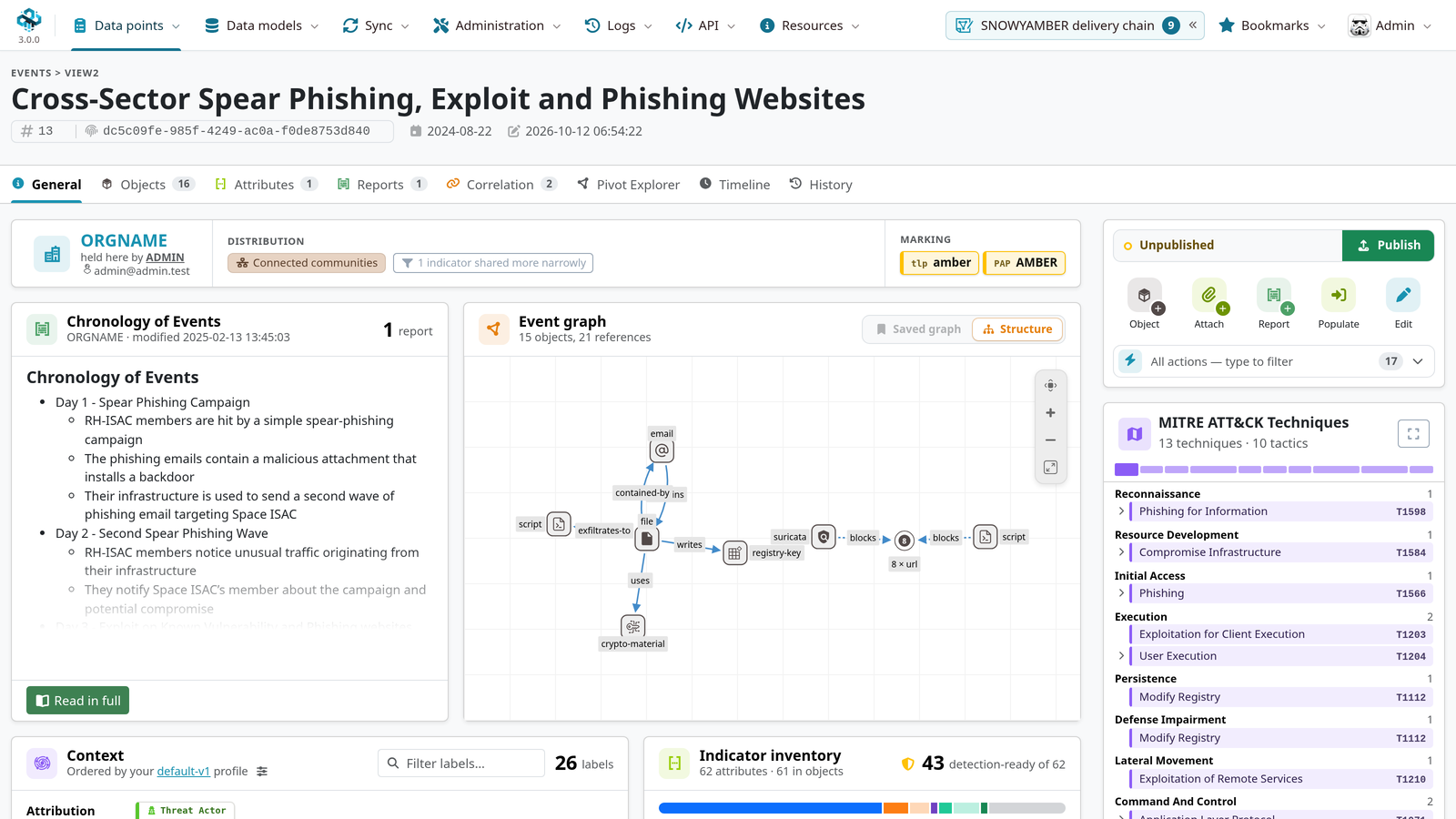
MISP v3.0 is here in Early Access. It is the biggest change to the way you work in MISP in years: a complete new interface, a page for every value you hold, analyst profiles that decide what matters to you, and graphs you can pivot through, keep and share. The data model, the API and sync stay what you know, so your tools, your scripts and your sharing partners keep working.
This post is a quick tour of the highlights.
⚠ Early Access: not for production.
A lot of work has already gone into tuning and hardening v3. Still, no test lab matches the variety of real MISP deployments: their data volumes, hardware and integrations. That is where we need the community. Run the Early Access, push it hard and tell us what you find. Until that feedback is in, you may hit rough edges in performance and stability on setups we could not test, and some behaviour may still change before the final release.
Do not run the Early Access on a production system. Use a test instance, ideally with a copy of your data, and keep your production instances on MISP 2.5 until v3 is out.
A new interface, finished
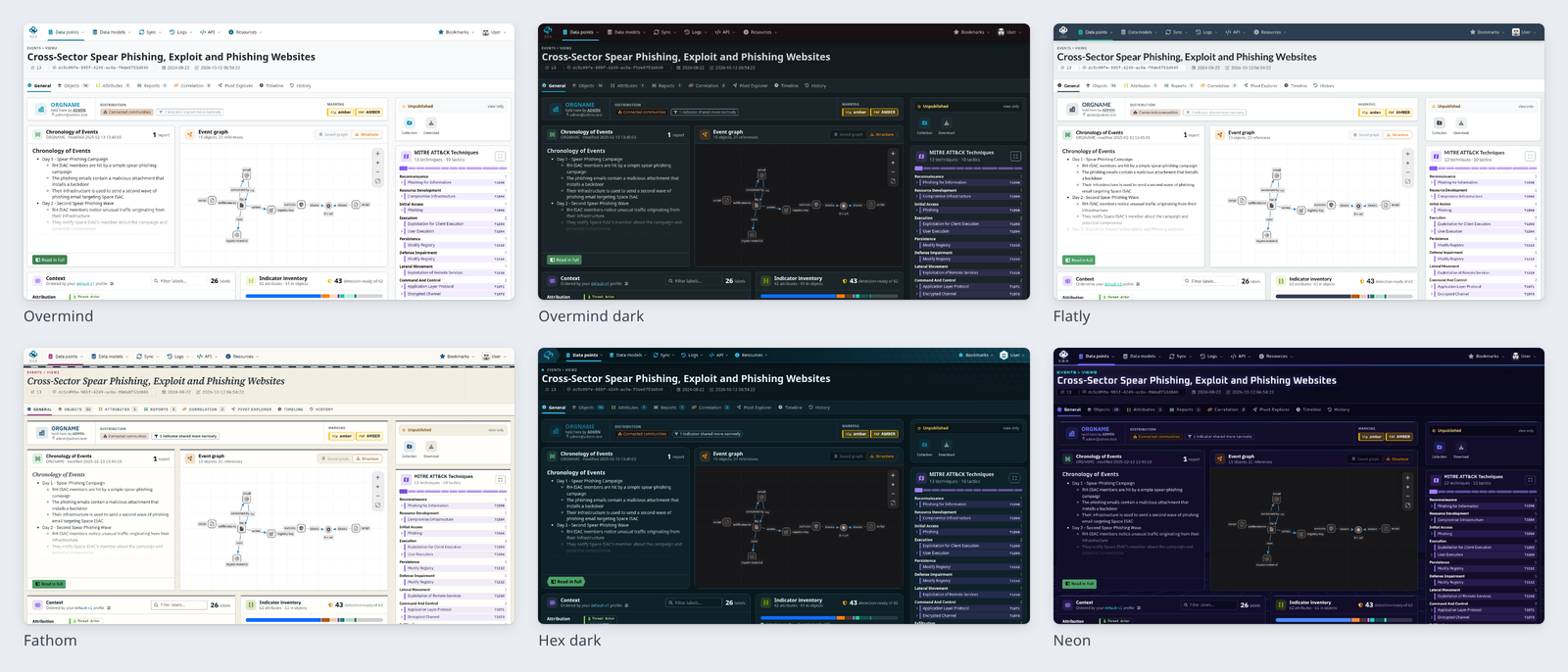
The Overmind interface started in 2.5 as an opt-in theme. In v3 it is the default, it reaches nearly every page, and all the new features below are built for it. It comes with a new navigation bar and a dark mode that follows you through every page.
On top of that, each user can pick the look they prefer from a set of Bootstrap themes: Overmind, Flatly, Cosmo, Slate, Neon, Hex and Fathom. Tags and galaxy clusters are now drawn as chips coloured by their taxonomy, so a busy event reads at a glance.
The new event page
The event page was rebuilt from the ground up. It opens on an overview that answers the first questions about an event: who holds it and how far it is shared, what the reports say, how its objects relate, which ATT&CK techniques it covers and what it contains that is ready for detection. Everything else is one tab away: objects, attributes, reports, correlations, history.
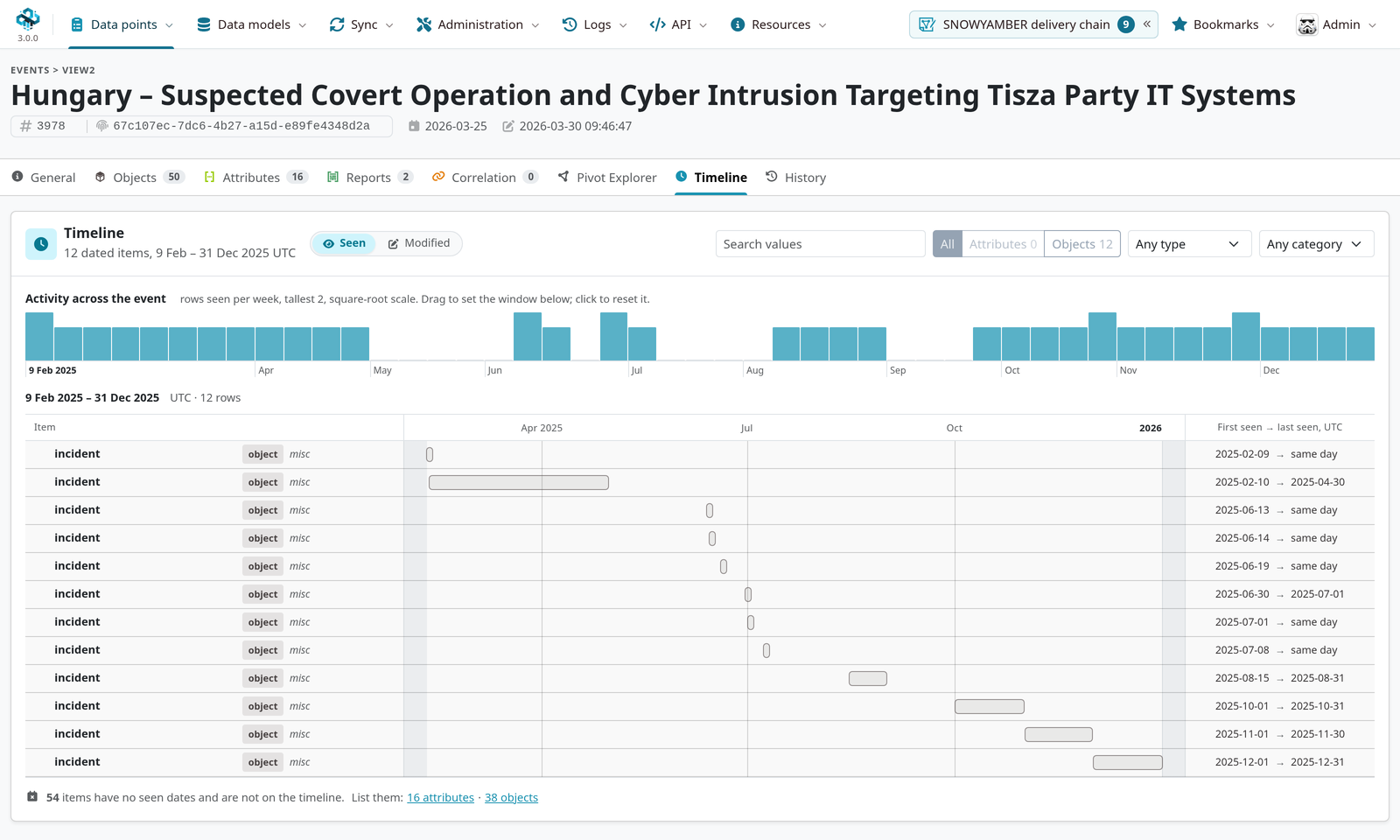
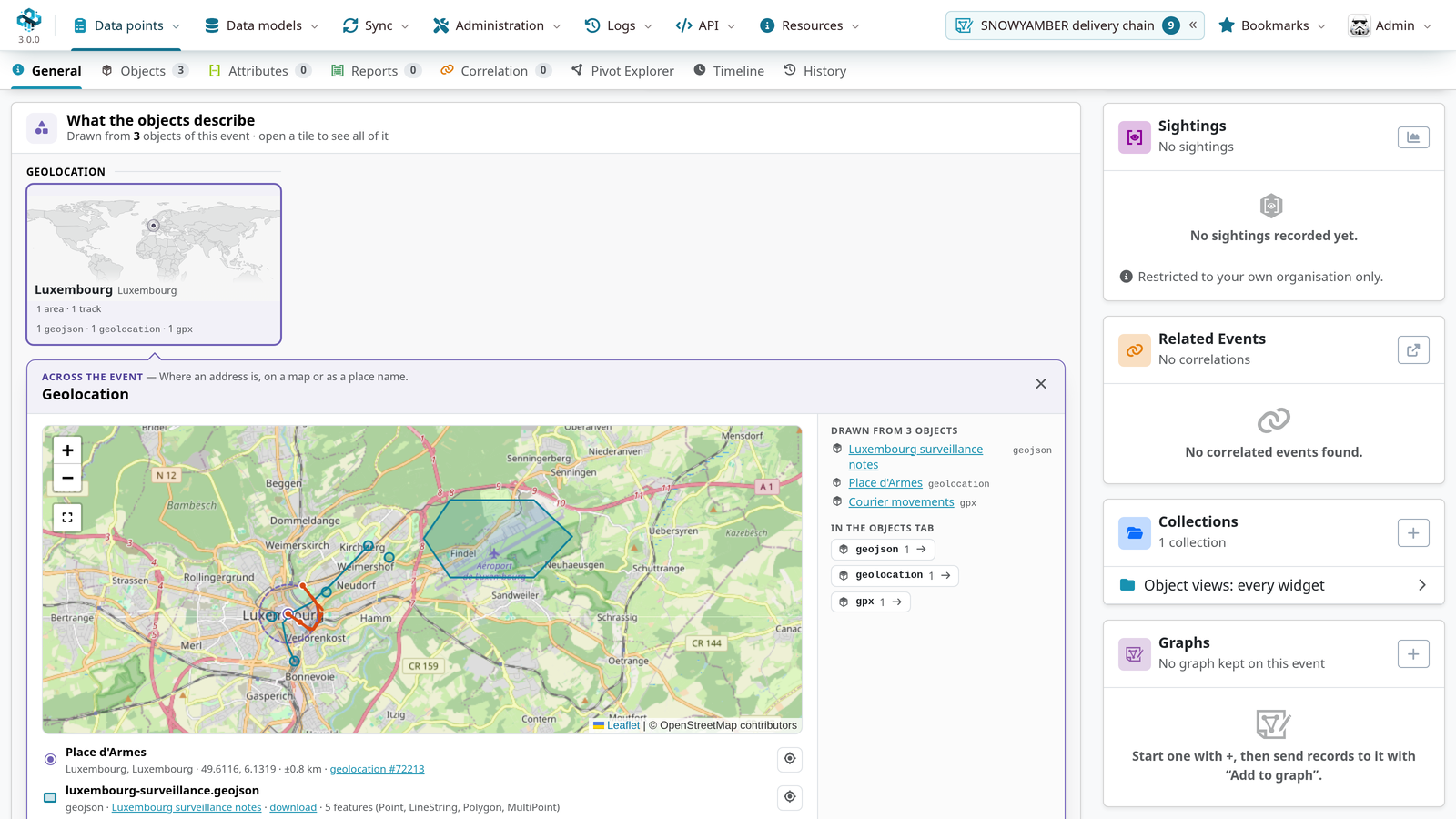
A Timeline tab lays out the event’s first-seen and last-seen data, and object views draw what an object describes, for instance a geolocation or a GPX track on a map.
Value Intelligence
MISP has always stored values as parts of events. Value Intelligence turns that around: every value gets its own page, showing everything your instance knows about it across all events. That includes where it occurs, who reported it, sightings, warninglist hits, relationships and enrichment results from misp-modules.
The page also gives an assessment: a stance on the value, a signal strength, and how long the information is likely to stay relevant.
The same summary is one hover away on any attribute value, through hover cards.
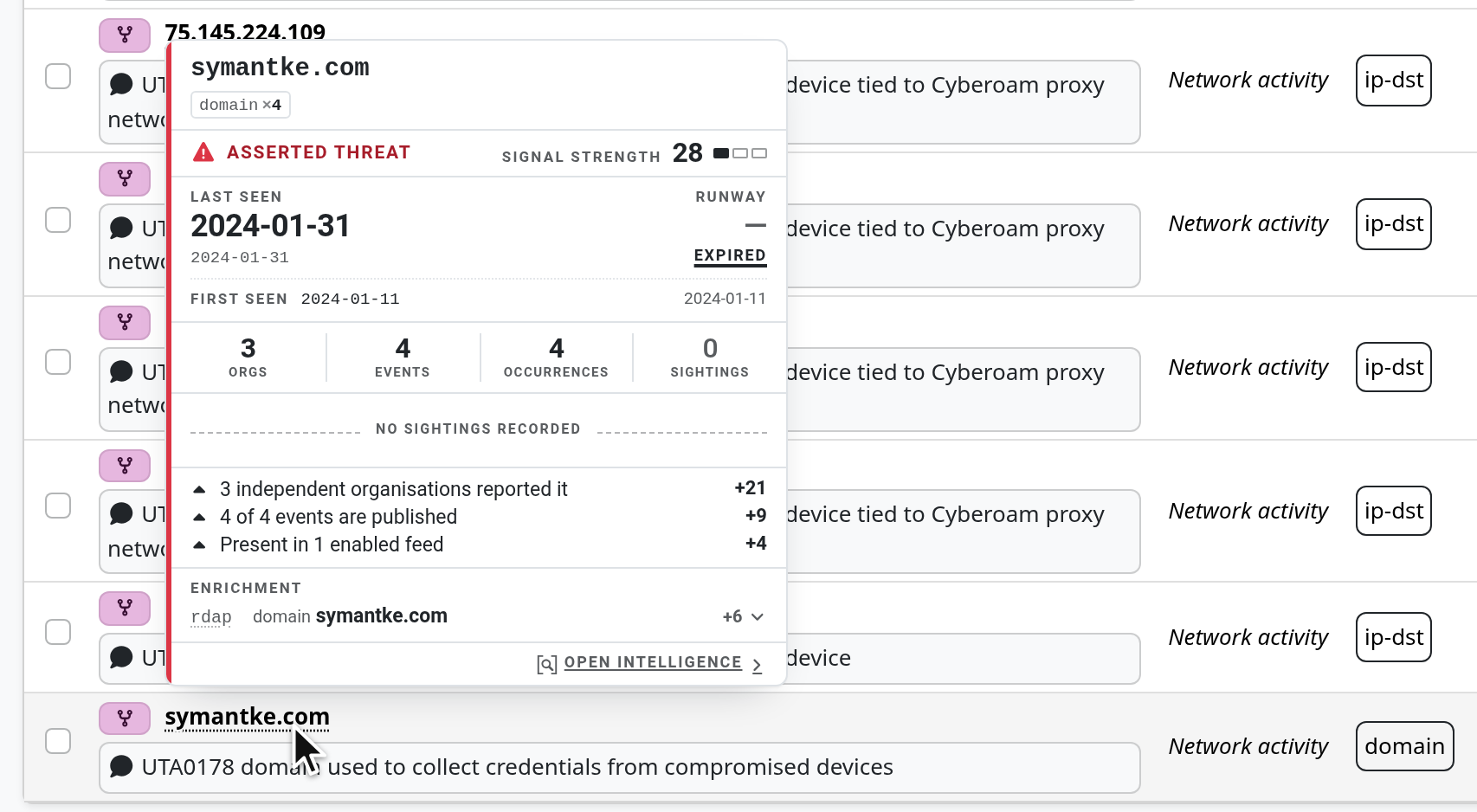
The values index also handles a whole report: paste an advisory, let MISP extract the values, and review them as a worklist, each with its assessment.
Analyst Profiles
A value that matters to a SOC analyst may be noise to someone working on fraud. Analyst Profiles let you say what matters to you: which signals count and how much, which sources you trust, which taxonomies and galaxies come first. The assessments across MISP follow the profile in force.
MISP ships profiles for common roles: SOC triage, incident response and investigation, fraud and abuse, risk and reporting and disinformation, next to the default one. Use one as it is, or fork it and tune it.
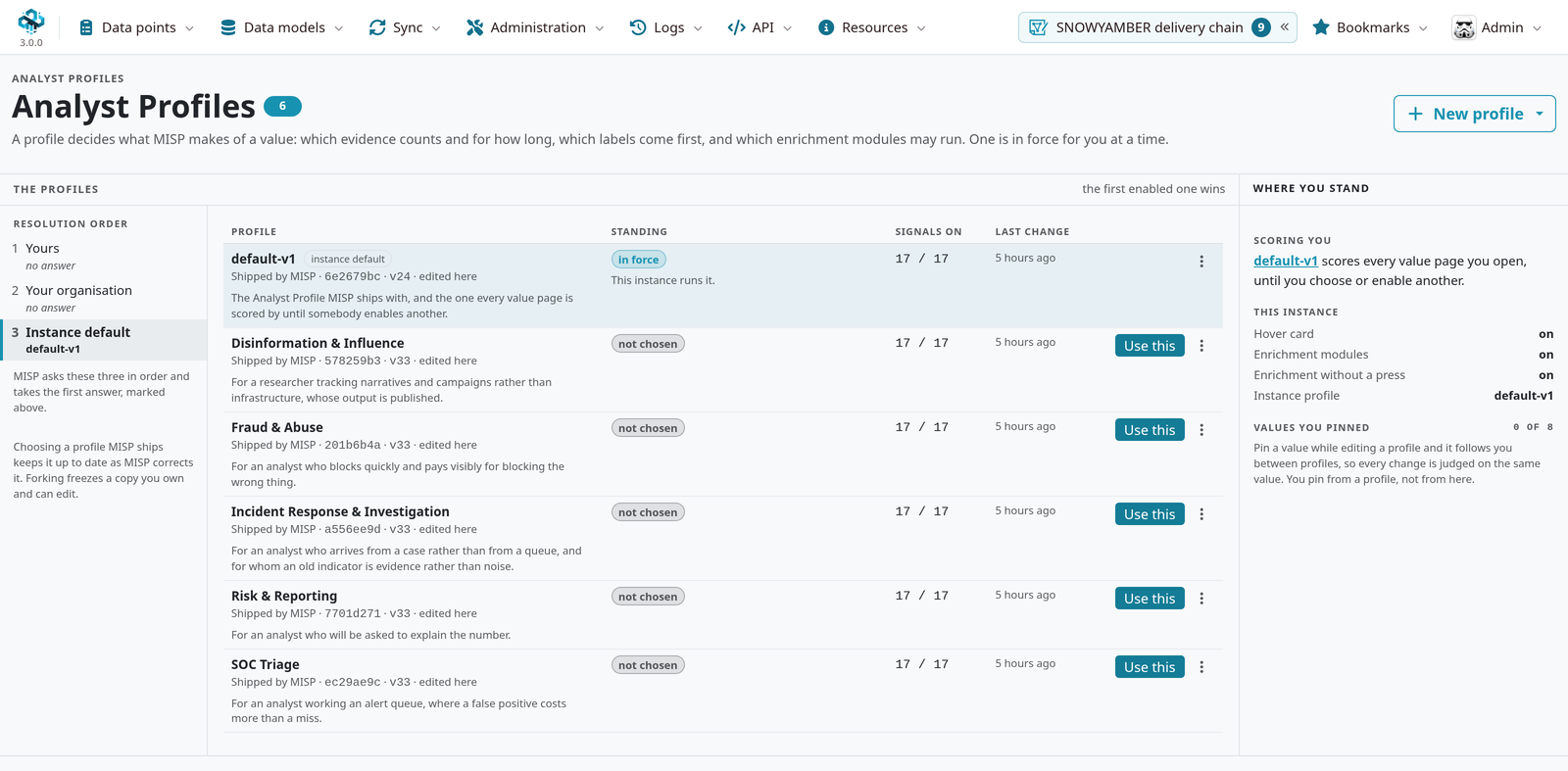
The editor scores a value of your choice while you work, so you see straight away what a change does.
Pivot Explorer
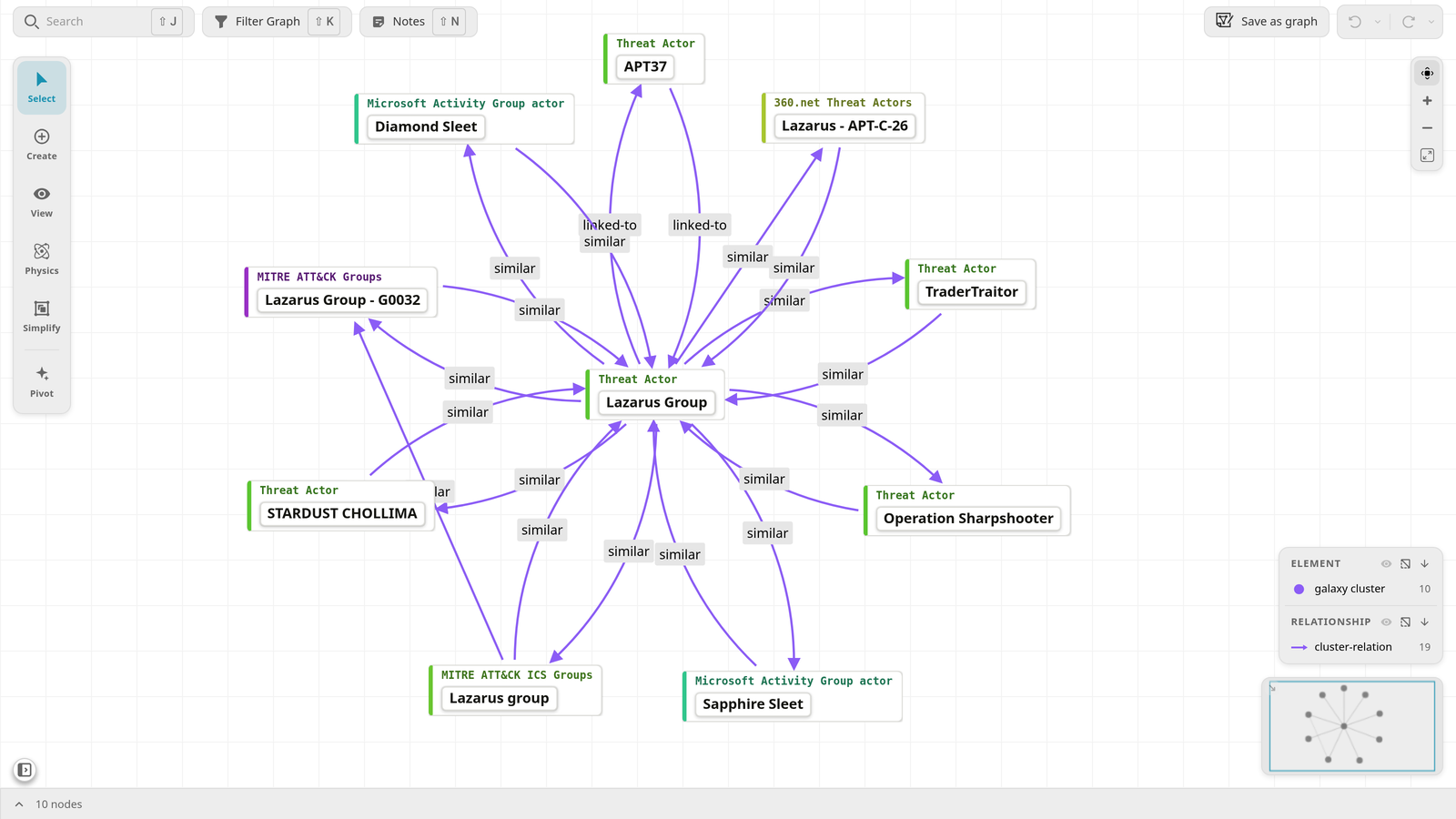
The Pivot Explorer turns an event into an interactive graph you can pivot through. From any node you can pull in correlations, feeds, galaxy clusters and the other events they lead to. You can enrich nodes with misp-modules, and keep what you found.
The explorer isn’t limited to events: open it from a galaxy cluster, and the threat actor comes ringed by its related clusters, ready to pivot further.
Analyst Graphs
Investigations rarely stay inside one event. Analyst Graphs are investigation graphs you save and share. The active graph sits in a dock you can open over any page, and you can add events, attributes, objects, galaxy clusters and values to it from wherever you find them.
Finding things faster
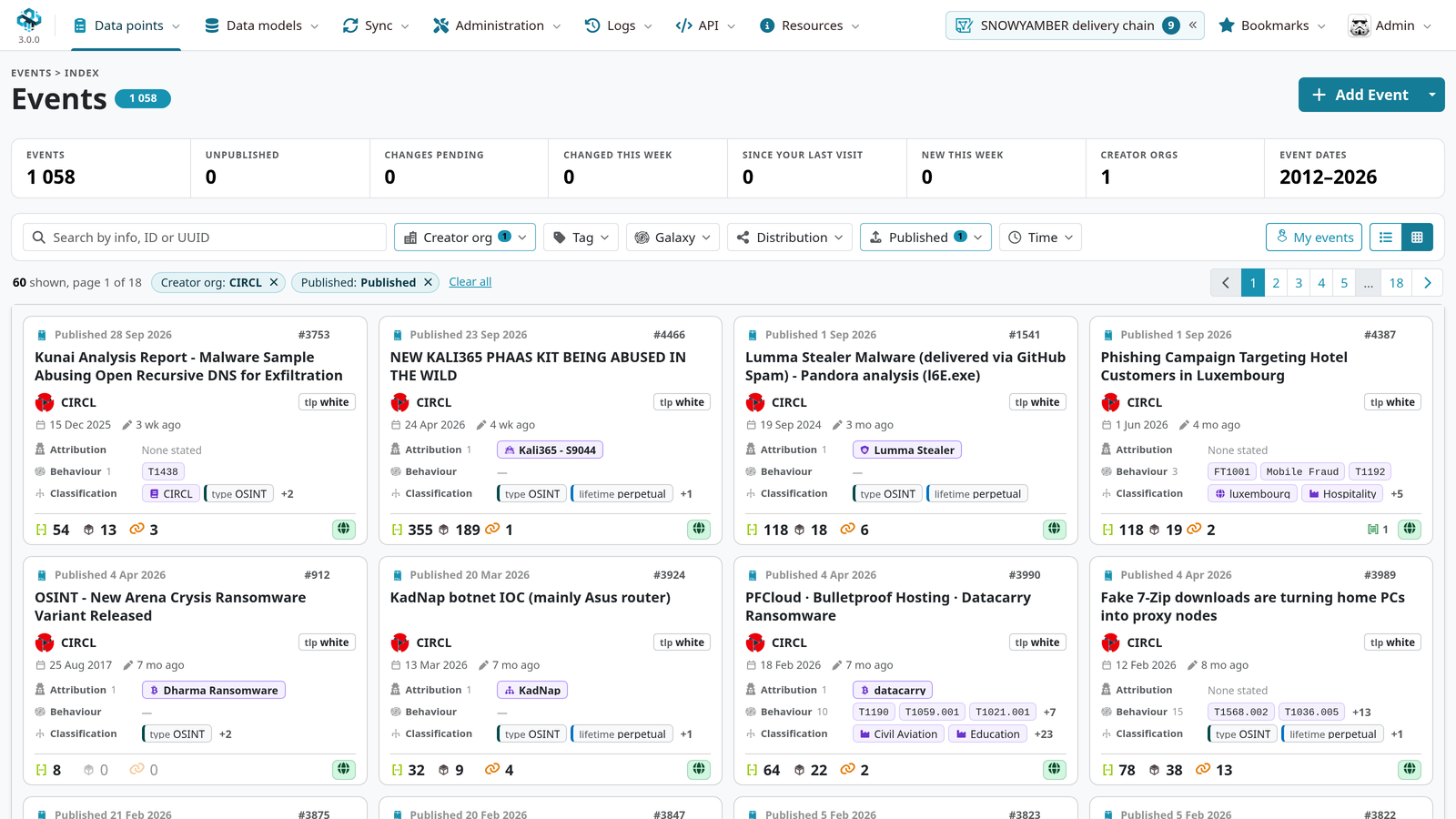
The events index was redesigned too. It offers a card view with a summary of each event, filter pickers for tags and galaxies that you can browse by taxonomy, and removable filter chips.
You can also grade organisations. The grade you give an organisation weights its reports in your assessments, and it shows wherever its events and values appear.
Under the hood
- Values stored once. Every distinct value is now stored a single time, and attributes point to it. This makes room for new searches, such as matching values on a word start or within a CIDR range, and lets notes, analyst data and collections refer to a value directly. This work is landing during the Early Access.
- Compatible with what you run today. v3 instances sync with MISP 2.5, and the API stays backward compatible, so PyMISP, your integrations and your scripts keep working. Only what is new in v3, such as notes attached to a value, stays between v3 instances.
You may have missed these in 2.5
Many features shipped during the 2.5 series, but mostly behind the Overmind theme, which isn’t the default, so they may have gone unnoticed. In v3 they are simply part of MISP:
- AI-assisted analysis: summarise an event, extract indicators from its reports, get tag recommendations (2.5.47).
- The new dashboard, with its widget gallery, maps and the pew-pew globe (2.5.39).
- Event Templates, to start an event from a structure your team agreed on (2.5.37).
- The correlation graph, a Sankey view of an event’s correlations over time (2.5.33).
- The task scheduler (2.5.18).
- A long series of security hardening rounds, covered in each release post.
Trying the Early Access
Remember: a test instance, not production.
The Early Access lives on the 3.0_wip branch of the MISP repository.
To get the code, follow the update instructions,
pulling the 3.0_wip branch, then convert the database as described below.
Prefer Docker? The misp-3.0_wip branch of misp-docker
builds MISP from 3.0_wip. No pre-built images are published for the Early Access, so build the
image yourself:
git clone -b misp-3.0_wip https://github.com/MISP/misp-docker.git
cd misp-docker
cp template.env .env
docker compose build
docker compose up
A fresh deployment gets the MISP 3.0 schema on first boot. 3.0_wip keeps moving: to pick up new
commits, rebuild with docker compose build --no-cache, or pin a commit with CORE_COMMIT in .env.
If you point the containers at an existing 2.5 database, it still needs the conversion below.
Upgrading an existing instance
The upgrade is one-way. Once upgraded, the database can no longer be used by MISP 2.5 and cannot be downgraded: the only way back is a backup taken before you start. After you update the code, MISP shows an upgrade page until the database has been converted, and the conversion runs from the command line only. From the MISP installation directory, as your web server user:
-
Back up the database, and check that the backup restores.
mysqldump --single-transaction --routines --triggers --databases misp > misp-backup.sql -
Review what will run.
sudo -u www-data app/Console/cake Admin migrationStatus -
Run the upgrade. It takes MISP offline, stops the background workers, applies every pending update, moves the attribute values to their new table, and brings MISP back. On a large instance this can take hours, so run it in
tmuxorscreen. If it stops, fix the cause it reports and run it again: it carries on from where it stopped.sudo -u www-data app/Console/cake Admin runUpgrade -
Let the correlations fill in. They are rebuilt by the background workers once MISP is back, which also takes a while on a large instance. When that is done, regenerate the top correlations and the over-correlation counts.
Make sure the database has room for the new value table before you start. MariaDB 10.10 or later
is recommended; PostgreSQL needs version 16 or later with the pg_trgm extension. The
upgrade guide
explains each step and what behaves differently afterwards.
Good to know
Some features read the database more and are therefore off by default. Value hover cards are
behind MISP.value_hover_card, and enrichment running automatically on value pages is behind
Plugin.ValueIntelligence_enrichment_auto_run.
Your feedback is what turns the Early Access into the release. Report bugs and remarks as GitHub issues, and come and discuss the new version with us on Gitter.
MISP has changed. Are you ready?